Friday, 16 September 2022

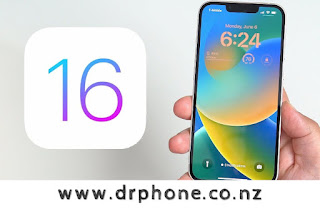
iOS 16: Best Tips & Features For Getting Started

Dr Phone Repair Limited (2015)
1, Huron Street
Takapuna, Auckland 0622
Mobile: +64278188168
drphonenz(a)gmail.com

Apple Offers $2M To Hackers Who Can Break Its New Lockdown Mode

16th September, 2022 - Auckland, New Zealand

Apple announced a new Lockdown Mode today which will be available in iOS 16, scheduled to launch later this year. Lockdown mode is intended for those who are high-value targets for hacking, and makes iPhone one of the most secure phones available.

To ensure it stays that way, Apple is offering up to $2,000,000 prizes for hackers who can find Lockdown Mode bypasses and break in.

"Apple makes the most secure mobile devices on the market," Ivan Krstić, Apple's head of Security Engineering and Architecture, said in a statement. "Lockdown Mode is a groundbreaking capability that reflects our unwavering commitment to protecting users from even the rarest, most sophisticated attacks."


Lockdown Mode includes:

  • SMS: link previews disabled
  • SMS: attachments blocked, except for images
  • Web: some Javascript features disabled unless on a trusted site that you explicitly identify
  • Facetime: incoming calls block from unknown sources
  • Wired connections: blocked when your iPhone is locked
  • Configuration profiles and device management: can't be installed, can't be enrolled
See the rest of the article here...

iOS 16 cheat sheet: Complete guide for 2022


On Sept. 12, 2022Apple released iOS 16, unveiled during Apple's WWDC keynote on June 6, 2022. Apple's primary focus areas for this release of iOS are new intelligence features, communication features and sharing features that also incorporate privacy. Many of these features can be used in business environments and non-business environments. Let's take a look at the iOS 16 features and how they can benefit you, your devices and your workflows.

What is iOS 16?

iOS 16 is Apple's newest version of the iOS mobile operating system that powers iPhone devices. It was announced at Apple's WWDC '22 conference and released in September 2022. The iOS includes features and performance improvements that are available on a wide range of iOS devices; see the list below to find out if iOS 16 will work on your device.

This new version of iOS includes many new features that are relevant to developers, enterprise customers and consumers, including an all-new Lock Screen design, widgets, new developer APIs and much more.
What devices are compatible with iOS 16?

Most hardware that supported iOS 15 will also support iOS 16. Here is the full list of iOS 16 supported devices:
    iPhone 14
    iPhone 14 Plus
    iPhone 14 Pro
    iPhone 14 Pro Max
    iPhone 13
    iPhone 13 mini
    iPhone 13 Pro
    iPhone 13 Pro Max
    iPhone 12
    iPhone 12 mini
    iPhone 12 Pro
    iPhone 12 Pro Max
    iPhone 11
    iPhone 11 Pro
    iPhone 11 Pro Max
    iPhone XS
    iPhone XS Max
    iPhone XR
    iPhone X
    iPhone 8
    iPhone 8 Plus
    iPhone SE (2nd generation or later)


What new features are available in iOS 16?

New Lock Screen
Apple has redesigned the entire Lock Screen in iOS 16, adding a new widget system that is reminiscent of the Apple Watch's screen customization options and ensuring that notifications are less intrusive to your daily workflow. Multiple Lock Screens can be created and swapped between easily.
Apple has pre-made several lock screens that feature animations and fluid transitions from the Lock Screen to the Home Screen. Photos and widgets are a huge design feature on the new Lock Screen, and let you customize the look and feel for your devices in a way never before possible. You can choose the font, color and size, and include a widget area under the time so you're always seeing up to date information from your favorite apps right on the Lock Screen.
Notifications also get an update in iOS 16. In this new version of iOS, new notifications appear from the bottom of the screen. Live Activities will allow applications to update your Lock Screen with live event data rather than spamming notifications.

Focus Mode changes and Focus Filters
Focus Mode allows users to ensure they are not interrupted during work by personal contacts, or interrupted at home by work contacts, allowing for better work-life separation. In iOS 16, Focus Modes can automatically set a particular Lock Screen configuration so you could have a dedicated Lock Screen for work, home or other activity.

The Focus Filters feature is available to third-party developers; it lets your apps filter out distracting content when a particular Focus Mode is enabled. Safari was demoed for this feature and showed triggering specific tab groups when a Focus Mode is enabled so you're not tempted to browse social media while at work, for example.
The unsend feature in iOS 16 and other communication changes

iOS 16 features a wide variety of changes that allow for better communication and more ways to handle that communication.

Starting with Messages, the app now has the ability to edit sent messages, undo a sent message, or mark message threads as unread so you can easily circle back to it later. When sending an iMessage, you now have the option to tap Undo Send when long pressing on a sent message. In iOS 16, tapping Undo Send allows users to unsend a message for up to 15 minutes after sending it. Editing works in the same way: Tap and hold on a recently sent message and select Edit Message to begin editing it up to 15 minutes after initially sending it. After the 15 minutes have elapsed, the Edit and Unsend options will be unavailable. When a message is edited, the recipient will get the newly revised message along with the word Edited under the message.

Shared with You, a feature introduced in iOS 15, now gets third-party integration through an API available to developers, allowing content shared between messages and third-party apps to be surfaced in those third-party apps as well.

SharePlay, introduced late last year in iOS 15, gets the ability to kick off a session within Messages and without audio or video. You can now perform a SharePlay session through Messages and have the ability to chat in real time through Messages.

Quick Note
Quick Note is a feature that first appeared on iPad in iPadOS 15 last year and allows users to quickly create a new note from anywhere in the operating system with the Apple Pencil. Users have clamored to have this feature added to iOS for nearly a year, and Apple has revamped it to work on iPhone and obliged the request.

Quick Note is available in the Share Sheet for many built-in applications to quickly and easily create a new note using an attachment, but Apple also added a new Control Center option as well for quickly creating a note from anywhere in iOS 16. Enable the option by going to Settings | Control Center, then tapping the plus (+) button on Quick Note. When you do this, swiping down for Control Center will have a new Quick Note button, which upon tapping will open the Quick Note window.

iCloud Shared Photo
iCloud Shared Photo Library is a new separate photo library that will be available to those who have Family Sharing set up and will allow up to five users to easily share photos with one another. The shared library will have read and write access to all users who are invited. Automate sharing into the shared library based on users who are in the photos themselves, or through the Camera app, which will now let users select which library they want the photo to be taken to be saved to.

You can also switch the library mode in the Camera automatically based on shared users who are nearby when you're taking the photos so that pictures taken with shared users are automatically synced to the shared library. This is a huge improvement for users with multiple family members who want to more easily sync photos with one another.

Read the full article here

Monday, 5 September 2022

Year 2022 Tech News: iPhone 14 - Everything we know about Apple's upcoming 2022 iPhones

5th September, 2022


Dr Phone Repair Limited
Takapuna, Auckland 0622
New Zealand
www.drphone.co.nz

Rumors Apple's 2022 iPhones 14....

Rumored Features
6.1 and 6.7-inch sizes
No notch
Large pill-shaped camera cutout
A15/A16 chip
Qualcomm X65 modem

Rumored 2022 iPhone Lineup
iPhone sizes are changing in 2022, and Apple is eliminating the 5.4-inch iPhone mini as it turned out to be unpopular with customers. After seeing lackluster iPhone mini sales, Apple is planning to focus on larger iPhone sizes for its flagship devices going forward, and we're expecting to see a 6.1-inch iPhone 14, a 6.1-inch iPhone 14 Pro, a 6.7-inch iPhone 14 (Max or Plus), and a 6.7-inch iPhone 14 Pro Max. Note that there will be no 5.4-inch iPhone 14 mini this year.

Since 2017, iPhones with Face ID have had a notch at the front to house all the necessary equipment for facial scanning, but that's set to change with the launch of the iPhone 14. The 2022 iPhone 14 Pro models are expected to eliminate the notch in favor of a new design. Rumors were all over the place for a bit, but it looks like Apple will go with some combination of a circular hole-punch cutout for the camera paired with a pill-shaped cutout to house to key Face ID components, with the two holes combined into a single long pill-shaped cutout using software. This new design will be limited to the Pro models, and the more affordable iPhone 14 models will continue to feature a standard notch.

We are not expecting any significant design changes this year, but the camera bumps for the 14 Pro models could get thicker. Apple is also expected to introduce new color options, adding a purple color for both Pro and standard iPhone 14 models.

New iPhones always include camera improvements, and the iPhone 14 is no exception. The Pro iPhone models are expected to get 48-megapixel cameras and 8K video recording capabilities, but these features will not be available on the standard iPhone 14 models. Apple is also working on improvements to the Telephoto lens and the Ultra Wide lens, again limited to the Pro models, but there may also be some new functionality for the regular iPhone 14 models.

Rumors suggest that the iPhone 14 models are likely to continue to use the same A15 chip that was introduced in the iPhone 13 series, while the iPhone 14 Pro models receive an updated A16 chip. This would mark the first time that the Pro iPhone models get a faster chip, with Apple perhaps going this route to cut down on costs and also because of ongoing supply issues.

Apple is expected to use Qualcomm's Snapdragon X65 chip, which is the first 10-gigabit 5G modem with faster connectivity speeds and connectivity improvements. Alongside the X65, Apple is expected to introduce new satellite-based emergency features that will let users send texts in emergency situations and report accidents with no cellular coverage.

For most of the rumor cycle, it was assumed that Apple would name the 6.7-inch iPhone 14 that's in the works the "iPhone 14 Max" to match the "Pro Max" naming that's been used for several years now. We were counting on the iPhone 14, iPhone 14 Max, iPhone 14 Pro, and iPhone 14 Pro Max.

As it turns out, Apple might go in a different direction. Rumors now suggest that the 6.7-inch standard iPhone 14 will instead be known as the "iPhone 14 Plus," which would distinguish it from the iPhone 14 Pro Max and would likely be less confusing to those not familiar with the iPhone lineup.

If accurate, we can count on getting the 6.1-inch iPhone 14, the 6.7-inch iPhone 14 Plus, the 6.1-inch iPhone 14 Pro, and the 6.7-inch iPhone 14 Pro Max.
No Notch and New Face ID Hardware Design (Pro Only)

For at least some of the iPhone 14 models, namely the Pro models, Apple is working to eliminate the notch that houses the hardware needed for Face ID. The notch was a controversial design decision when it was introduced in 2017, and since then it's changed little with the exception of the size tweak with the iPhone 13.

Apple analyst Ming-Chi Kuo said in March 2021 that the 2022 iPhone models would not have a notch, and would instead adopt a hole-punch style design that's been popular on many Android phones. Since then, rumors have evolved and we have a clearer picture of what to expect.

Read the full article here:
https://www.macrumors.com/roundup/iphone-14/